
1. AI-Generated Course Page – Course Building & Thumbnail:
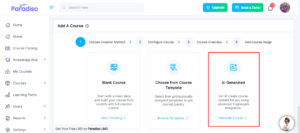
- We’ve improved the AI-generated course creation flow to provide a more seamless experience.
- Previously, clicking on an AI-generated course redirected users to the Course Building page. With this update, users are now redirected to the Create a New Course page for a more guided setup process.
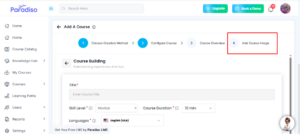
- An “Add Course Image / Thumbnail” option has also been introduced on the course creation page, allowing users to upload an image during course creation.
- These updates enhance usability and improve course presentation.
2. AI Course Generator & Import Content Module:
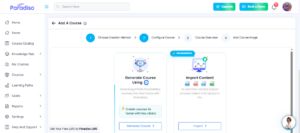
- We’ve refined the AI Course Generator and Import Content modules to streamline course creation.
- On the AI Course Generator page:-
- The “Create a New Course” title has been removed
- The “Empty Course” option has been removed to simplify choices
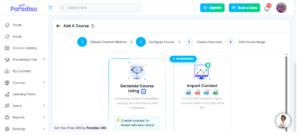
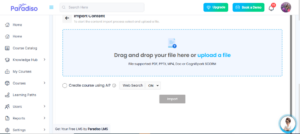
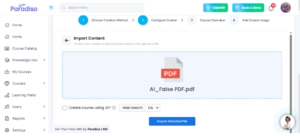
- On the Import Content page:-
- The “Import as it is” option has been removed
- Users can now upload supported files, and the system automatically generates a course
- Supported file formats include:-
- PPTX
- DOC
-
These enhancements simplify the process and enable faster course generation.
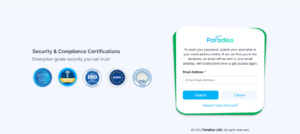
3. UI Updates – Login, Register & Forgot Password Pages:
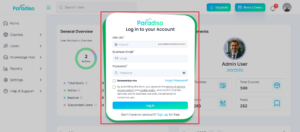
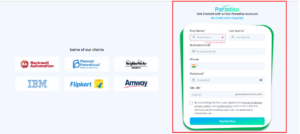
- We’ve updated the UI for the following pages to improve design consistency and user experience:
- Login page
- Register page
- Forgot Password page
- These updates provide a cleaner layout and a more consistent interface across authentication flows.
- Login page –
- Registrer page –
- Forgot Password page –
4. Course Catalog Statistics – Tooltips (User Side):
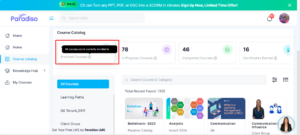
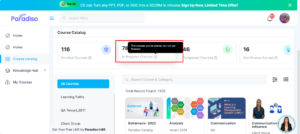
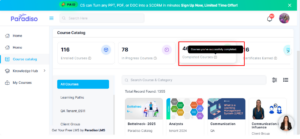
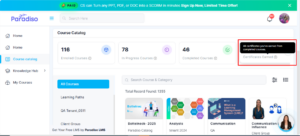
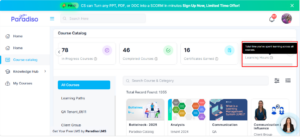
- We’ve added tooltips to Course Catalog statistics on the user side to improve clarity.
- Tooltips include:
- Enrolled Courses: All courses you’re currently enrolled in
- In Progress Courses: Courses started but not yet finished
- Completed Courses: Successfully completed courses
- Certificates Earned: Certificates from completed courses
- Learning Hours: Total learning time across courses
- These enhancements help users better understand their learning data.
- Enrolled Courses –
- In Progress Courses –
- Completed Courses –
- Certificates Enarned –
- Learning Hours –
5. AI Quiz Generator Activity:
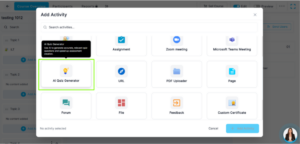
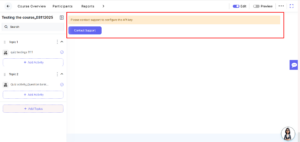
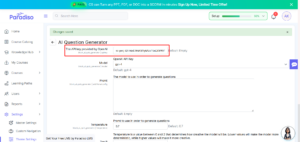
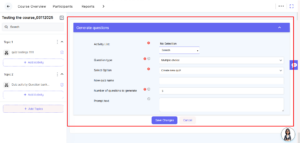
- We’ve introduced a new AI Quiz Generator activity in the Add Activity popup.
- Key features include:
- Automatically created under the first topic of the course
- Displays an instruction message if the API key is not configured
- Redirects to the AI Quiz Generator form when the API key is configured
- This feature simplifies quiz creation and improves efficiency.
6. Survey Form Enhancement:
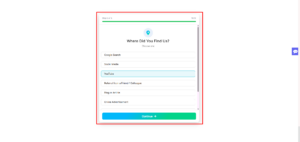
- We’ve enhanced the survey form by adding a new question:
“Where did you find us?” - Available options include:
- Google Search
- Social Media (Facebook / Instagram / LinkedIn)
- YouTube
- Referral (with textbox for name)
- Blog or Article
- Online Advertisement
- Email Campaign
- Other (with textbox)
- This enhancement helps capture better user acquisition insights.
7. Dashboard Customization Enhancement:
- We’ve improved the Dashboard Customization experience for better flexibility and control.
- The Customize Dashboard option is now available directly on the dashboard page.
Users can perform the following actions: - Add Widget
- Save
- Reset to Default
- Cancel
- Additional updates include:
- Delete option moved to the top of each block (visible in customize mode)
- Edit Logo option added for Admin/Client Admin
- Opens in a new tab
- Visible only in Customize mode
- These enhancements improve usability and make dashboard management more intuitive.
8. Chatbot Enhancements:
- We’ve enhanced the chatbot to support more advanced interactions.
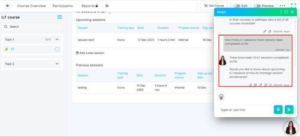
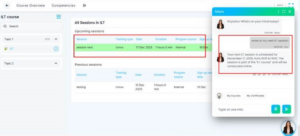
- The chatbot now supports ILT-related queries for both Client Admins and Students.
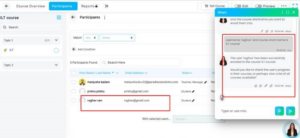
- It can also enroll users into courses, provided the necessary CS-side configuration is completed.
- Configuration requirements include:
- Adding chatbot instruction sets
- Uploading Q&A files with relevant links
- The chatbot provides responses along with relevant links, improving user guidance and support.
9. Promotional Bar Configuration – Panel API:
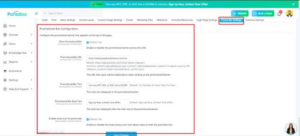
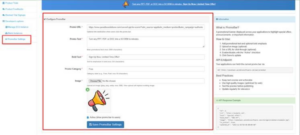
- We’ve extended the Promotional Bar functionality by adding support in the Panel API.
- Promotional Bar settings remain configurable within the LMS, while API support enables real-time updates.
- This ensures better flexibility and integration with external systems.
Summary:
- Focuses on improving AI-driven course creation, user experience, and system flexibility through UI enhancements and new features.
- Enhanced AI course creation flow with improved navigation and thumbnail support.
- Streamlined AI Course Generator and Import functionality for automated course creation.
- Updated authentication UI for better consistency and usability.
- Introduced AI Quiz Generator for faster quiz creation.
- Improved dashboard customization with better control and flexibility.
- Enhanced chatbot capabilities with ILT support and course enrollment.
- Enabled real-time promotional bar updates via API