
1. LXP Module Enhancements:
- We’ve enhanced the LXP module to provide better content visibility and improved workspace-based control.
- All content menus now display both public content types and content from enrolled workspaces, ensuring users have access to a broader range of learning materials.
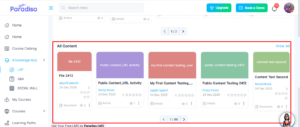
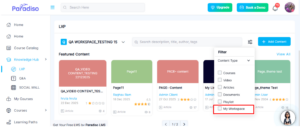
- A “My Workspace” filter has been added, allowing users to easily view content specific to their enrolled workspaces.
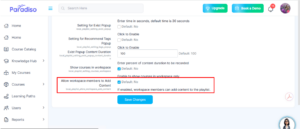
- Additionally, a new site setting—“Allow workspace members to add content”—has been introduced. When enabled, users can contribute content directly to their enrolled workspaces.
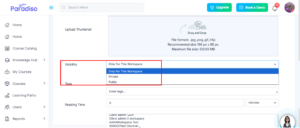
- Content creation has also been improved with a new Visibility field. Users can now choose from the following options:
- Only for this workspace – Visible only to workspace members.
- Private – Visible only to the specific user.
- Public – Visible to all users.
- The default visibility is set to “Only for this workspace”.
- These enhancements improve content management flexibility and enhance collaboration within workspaces.
2. SCORM Activity UI Changes:
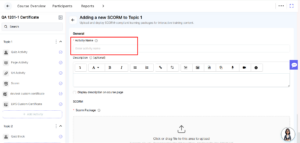
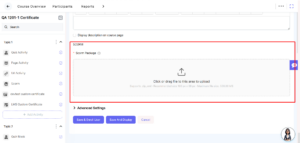
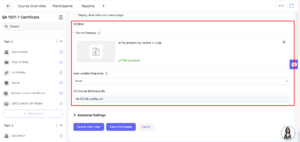
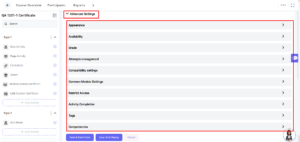
- We’ve refined the SCORM activity interface to improve usability and consistency.
- The activity name field and placeholder text have been updated for better clarity.
- The SCORM package field has been enhanced to provide a smoother file selection and upload experience.
- Additionally, advanced settings and their dropdown menus have been updated to ensure a more structured and user-friendly configuration process.
3. Ice Breaker & Chatbot Fixes:
- We’ve resolved multiple issues to improve chatbot interaction and reliability.
- The send button is now disabled after sending a message, preventing multiple submissions.
- Response formatting issues have been corrected(**), and a fix has been applied to ensure chatbot instructions are retained properly.
- These updates enhance stability and improve the overall user experience.
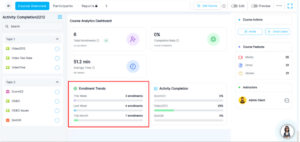
4. Enrollment Trends (Course Overview):
- We’ve introduced Enrollment Trends on the Course Overview page to provide better insights into enrollment patterns.
- This feature is visible only to Client Admins & Admin (hidden from students).
- Displayed metrics include:
- This Week – Total enrollments in the current week
- Last Week – Total enrollments in the previous week
- This Month – Total enrollments in the current month
- This enhancement helps admins track enrollment performance more effectively.
5. Activity Completion:
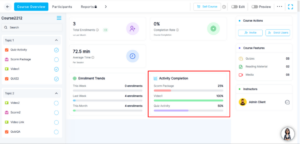
- We’ve enhanced the Activity Completion section to provide clearer insights into learner progress.
This feature is available only to Client Admins & Admin. - Activities are displayed in a defined sequence—SCORM, Video, and Quiz—with a maximum of three activities shown at a time.
- If more activities exist, the sequence repeats. SCORM → Video → Quiz → SCORM → Video → Quiz.
- Completion is calculated based on completed users versus total enrolled users.
- The section includes activity-wise completion percentages, visual progress bars, and auto-updating data.
- If an activity name is available, it is displayed; otherwise, the activity type is shown with a default 0% completion.
- These improvements provide better visibility into course engagement.
6. Course Features & Instructors:
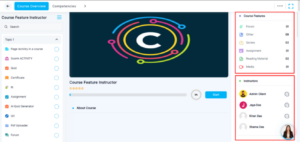
- We’ve improved the Course Features and Instructors section for better visibility and interaction.
This section is visible to all users, including students. - Course Features now display counts of activity types such as Forum, Quiz, Assignment, Reading Material, Media, and others, along with enhanced icons for better visual clarity.
- Instructor profiles have been improved with enhanced profile images.
- A message icon has been added, allowing users to directly communicate with instructors. Clicking the icon redirects users to the Messages module.
- These updates improve engagement and communication within courses.
7. Left Navigation – Menu Expansion:
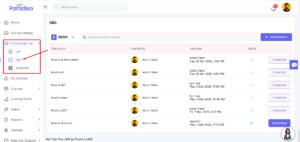
- We’ve improved the behavior of the left navigation menu for better usability.
- The main menu now remains expanded when a submenu is selected, and the expanded state persists while navigating within that submenu.
- This enhancement provides better navigation clarity and a smoother user experience.
8. Marketing Combined Setting (Entp Clients):
- A combined Marketing setting has been introduced for enterprise clients.
- This update simplifies configuration and improves manageability of marketing-related features.
- Along with this enhancement, several related issues have been resolved to improve system reliability and user experience:
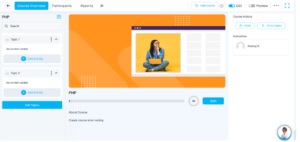
- New Client Admins can now create courses successfully without encountering token exceptions.
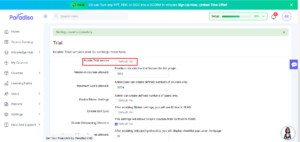
- The Upgrade & Demo button is now hidden when the Trial setting is disabled.
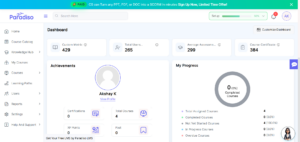
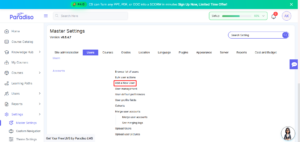
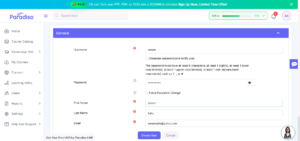
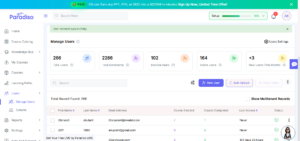
- User creation from Master Settings → Users → Create User now works without errors.
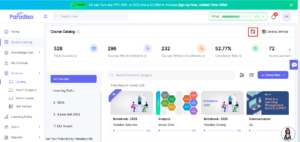
- Client Admins can now access the Manage Course option from the course catalog page without any issues.
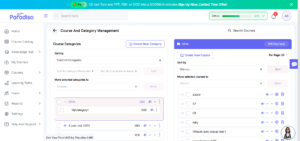
- Client Admins now see the correct roles on the Assign Role page, resolving the issue.
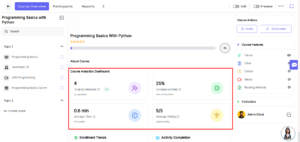
9. Course Analytics Dashboard:
- We’ve introduced a Course Analytics Dashboard to provide performance insights for Client Admins.
- Displayed metrics include:
- Total Enrollments (with previous month comparison)
- Completion Rate
- Average Time per Session
- Average Rating
- This dashboard helps admins analyze course performance and make data-driven decisions.
10. ILT, Learning Path & Course Image Sync:
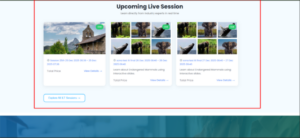
- We’ve implemented API-based synchronization to improve data consistency between LMS and eCommerce platforms.
- ILT details are now synced from LMS to eCommerce, ensuring accurate and up-to-date information across systems.
- Additionally, Learning Path and Course images are automatically synchronized, so any updates made in LMS are reflected seamlessly in eCommerce.
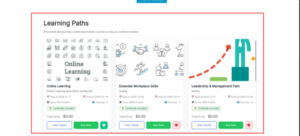
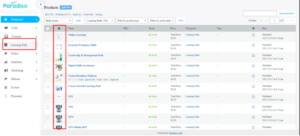
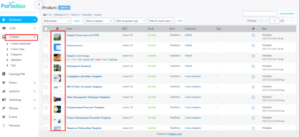
- These enhancements ensure consistent data and visual representation across platforms.
Summary:
- Focuses on enhancing overall system usability, content management, and analytics through UI improvements and feature enhancements.
- Enhanced LXP module with improved workspace-based content visibility and control.
- Improved Course Overview with enrollment trends and activity completion tracking.
- Refined SCORM UI, chatbot behavior, and navigation for better usability.
- Resolved multiple critical issues to improve system stability.
- Introduced Course Analytics Dashboard for better performance insights.
- Enabled seamless data synchronization (ILT, Learning Path, Course images) with eCommerce.