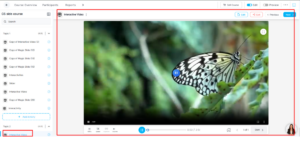
The AI Activity Builder enables instructors and administrators to create interactive learning content using AI-powered tools. It supports dynamic content generation and interactive video creation, enhancing course engagement and reducing manual effort.
Activity Addition
A new activity named AI Activity Builder is available in the Add an activity or resource popup. This allows users to quickly create AI-driven learning activities within a course.
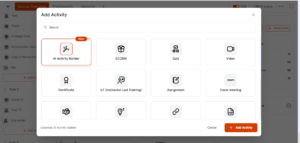
Activity Options
When the AI Activity Builder is selected, the administrator is presented with two options within the CS iFrame:
-
Magic Slide
-
Interactive Video
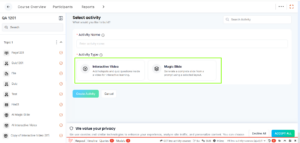
Magic Slide – Functional Flow
Magic Slide allows administrators to generate interactive slide-based content using AI.
- Enter Activity Name
-
Select Magic Slide and click Create Activity
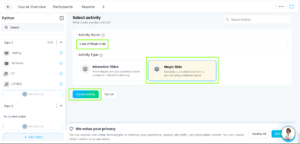
-
The user is redirected to the CS-side editor
-
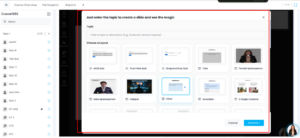
Enter a topic title
-
Choose a content format from the available options
-
Click Generate to create AI-based content for the selected topic
-
Review the generated content
-
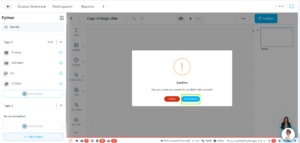
Click Publish to LMS and Click on “Yes, Proceed”
Outcome:
-
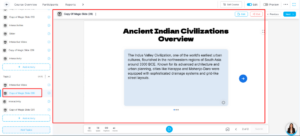
The generated Magic Slide content is added as an activity in the LMS
-
It appears in the Activity List under the selected topic
Interactive Video – Functional Flow
Interactive Video enables administrators to create engaging video-based learning experiences.
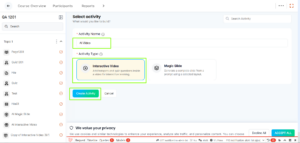
- Enter Activity Name
-
Select Interactive Video and click Create Activity
-
The user is redirected to the CS-side editor within the iFrame
-
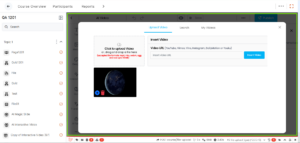
Upload or add a video
-
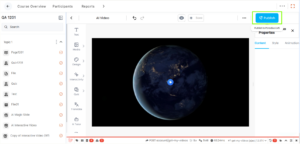
Configure interactive elements using available tools
-
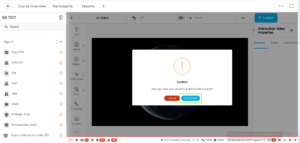
Click Publish to LMS and Click on “Yes, Proceed”
Outcome:
-
The interactive video is added as an activity in the LMS
-
It is visible in the Activity List under the selected topic