Contents
About Q&A
- A Q&A is discussion forum. Similar to the forum activity, but focuses on straightforward question-and-answer discussions. Additionally, users like the post being created by other users. Users who have started a discussion can mark an answer as helpful.
- Q & A is a Feature in which a user asks questions and other users answer them. Q&A is shortform for ‘question and answer.
- Users can attach files. If a picture is attached, it will be displayed as image. If another file type is attached, the file will be shown but not the content.
- A discussion can be deleted by deleting the first post. Q&A helps people discuss queries and ask answers from experts. Q&A helps users keep healthy communication.
- Workspaces: Workspaces are virtual communities where learners can engage with one another. Similar to forums or chat rooms, learners can hold discussions by posting comments and questions, sharing files, “liking” each other’s posts, tagging each other, and generally benefit from social learning as they observe and model on-the-job behaviors. These activities empower learners to share their knowledge with their colleagues, and to demonstrate their expertise. The social aspect of the workspaces serves as positive reinforcement for employees who help one another and contribute beneficial content to the workspace. By grouping your learners with their peers, you will help them build relationships and feel more connected to their colleagues.
How to access Q&A:
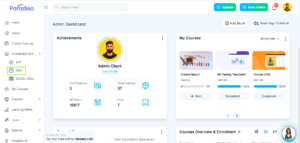
Step 1: Navigate to Knowledge Hub from the left-side navigation bar and click on Q&A.
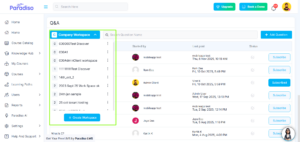
Step 2: Select the Workspace from the workspace dropdown list.
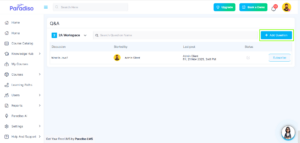
Step 3: Click the “Add Question” button to create a new question.
Step 4: Enter the following details to create the question:
-
- Question Title
- Question Description
- Attachment (optional)
- Tags
- Expert User Name (optional)
- Anonymity/Visibility (Only For This Workspace/Private, Public)
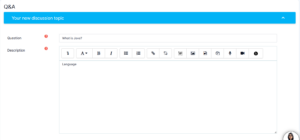
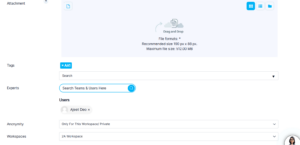
Step 5: Click Submit to create the question.
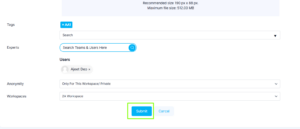
Step 6: Search questions in the workspace as follows:
- Search Inside content: Click on What is Java? and copy the Language QA inside content and click on Back button. Then search the inside content Language QA on the main page.
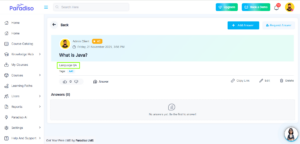
- Then search the inside content Language QA on the main page. It will display the Question which content Language QA
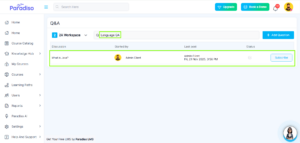
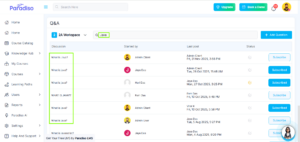
- Search Outside: Add text in the search box eg. Java and then search the Question, then it will display the What is Java? on the main page.
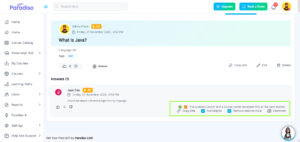
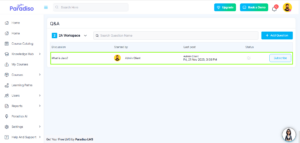
Step 7: Click on What is Java? Question and open the discussion:
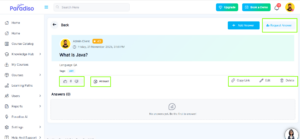
In the discussion view, you can perform the following actions:
-
- Upvote / downvote
- Add answer
- Request Answer
- Copy link (For share)
- Answer
- Edit ( Author/ Admin only)
- Delete (Author / Admin only)
Step 8: Reply /comment on Answer
You can perform the following actions on replies or comments:
-
- Mark as Helpful (Yellow)
- Mark as solution (Green)on the added content