1. Reports & Analytics Dashboard Enhancements:
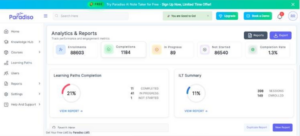
- We’ve enhanced the Reports & Analytics dashboard to provide better visibility into user learning progress and activity tracking.
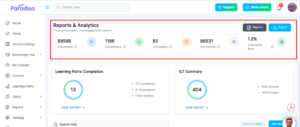
- On the Reports & Analytics page, user course completion records are now displayed based on course progress statuses, including:
- Enrollments
- Completions
- In Progress
- Not Started
- Completion Rate
- Users can also download reports directly from the dashboard for easier reporting and analysis.
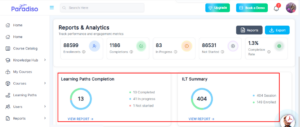
- The Learning Path Completion block has been enhanced to display Learning Path records according to their completion status, including:
- Completed
- In Progress
- Not Started
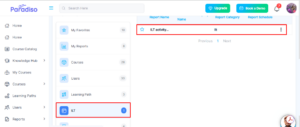
- The ILT Summary block now displays ILT activity statuses along with session details and the number of users enrolled in each session.
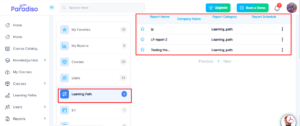
- Additionally, users can now create reports under both the Learning Path and ILT categories, providing greater flexibility in reporting and analytics management.
2. Contextual Maya Enhancements:
- We’ve enhanced the Contextual Maya module to provide more flexible and personalized messaging across the LMS.
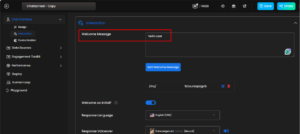
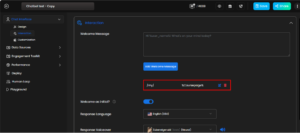
- Admins can now configure welcome messages either globally across all LMS pages or specifically for individual pages.
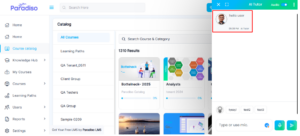
- Nodes can also be configured for:
- All pages across the LMS
- A specific page based on user requirements
- If users want to display a specific node on a particular page, it can be configured by selecting the desired page.
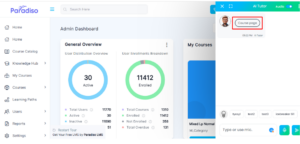
- Similarly, Icebreakers can now be added either globally or page-wise. Admins can configure specific Icebreakers for selected pages to create a more contextual and engaging user experience.
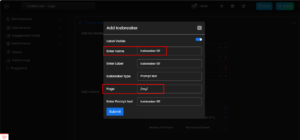
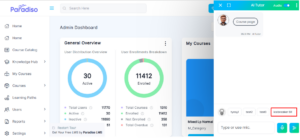
- These enhancements provide greater control over contextual communication and page-level customization.
3. Add Activity Popup – UI Enhancements:
- We’ve updated the Add Activity popup with multiple UI and usability enhancements to improve the activity selection experience.
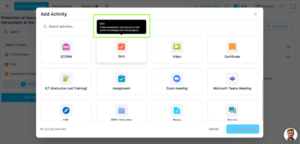
- Mouse Hover Description for Activity Icons:
- Tooltip descriptions are now displayed when users hover over activity icons, providing better clarity about each activity type.
- Removal of “Popular Activities” and “More Activities” Sections:
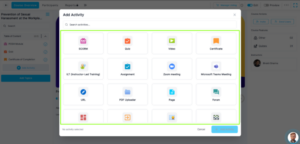
- The previous “Popular Activities” and “More Activities” categories have been removed.
- All activities are now displayed within a single clean and unified activity list for easier navigation and selection.
- Updated UI Based on New Design:
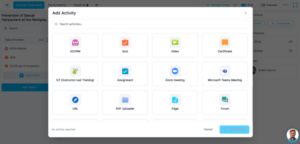
- The Add Activity popup has been redesigned with updated layout, spacing, alignment, and visual styling to match the latest UI design standards.
- Icons, text placement, and activity alignment have been improved to provide a cleaner and more user-friendly experience.
- Updated Selection Styling:
- The Add Activity popup has been redesigned with updated layout, spacing, alignment, and visual styling to match the latest UI design standards.
- When users select an activity from the popup:
- Only the border of the selected activity is highlighted.
- The previous background highlight styling has been removed.
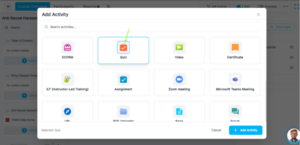
- This enhancement aligns the activity selection experience with the updated UI design
4. Quiz Interface – Navigation & Question Count Enhancements:
- We’ve enhanced the Quiz activity interface to improve navigation and quiz progress visibility for learners.
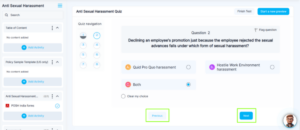
- Previous and Next Navigation Buttons:
- The Quiz interface now includes dedicated navigation controls:
- A Previous button allows users to navigate to the previous question.
- A Next button allows users to move to the next question.
- These additions improve quiz usability and provide a smoother question navigation experience.
- Question Count Display:
- A question count indicator has been added to improve quiz progress visibility.
- The current question number (for example, “Question 4”) is now displayed prominently within the quiz interface.
- This enhancement helps learners:
- Understand their current position within the quiz
- Track progress more effectively
- Navigate the quiz with better clarity
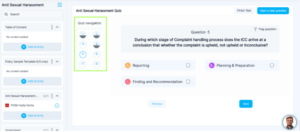
- The question count works alongside the existing quiz navigation panel for an improved learner experience.
5. Updated Left Navigation Menu Labels:
- We’ve updated multiple left navigation labels across internal pages to align with the latest navigation structure and UI terminology.
- The following label updates have been implemented:
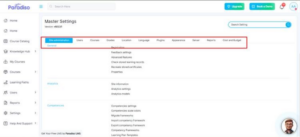
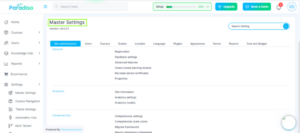
- Site Administration → Master Settings
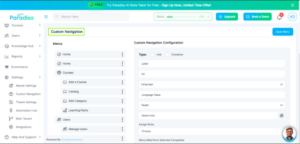
- Paradiso → Theme Settings
- Report Builder → Reports
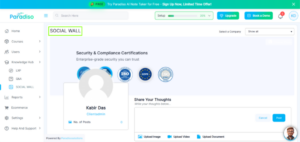
- Social Wall → SOCIAL WALL
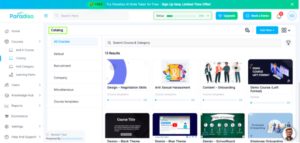
- Course Catalog → Catalog
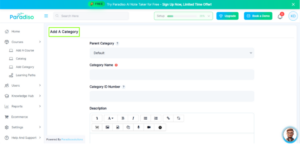
- Add New Category → Add A Category
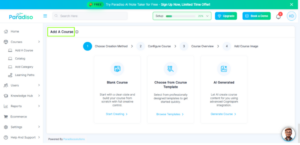
- Add New Course → Add A Course
- Multitenant Dashboard → Multi Tenant
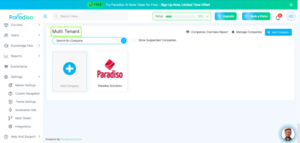
- These updates improve consistency and align the navigation experience with the updated platform design.
6. Integration Tab – New Navigation Structure:
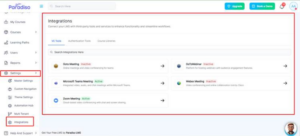
- We’ve introduced a new Integration tab under Settings in the left navigation menu to centralize all LMS integrations.
- All integrations are now grouped within a single Integration submenu. When users click on the Integration tab, they are redirected to the Integration Details page.
- The Integration Details page organizes integrations into the following tabs:
- VC Tools:
- GoToMeeting
- GoToWebinar
- Microsoft Teams Meeting
- WebEx Meeting
- Zoom Meeting
- Authentication Tools:
- OAuth 2
- SAML2
- OpenID Connect
- LDAP Server
- CAS Server
- Course Libraries:
- Coursera
- Go1
- OpenSesam
- When users select any integration, they are redirected to the corresponding integration details page.
- Integration status visibility has also been improved:
- Enabled integrations are displayed as Active
- Disabled integrations are displayed as Inactive
- This enhancement simplifies integration management and improves overall accessibility.
7. Manage User – UI Enhancements:
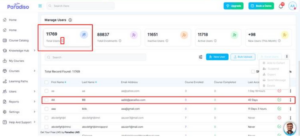
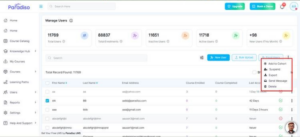
- We’ve introduced UI enhancements within the Manage User module to improve consistency and user interaction.
- The following improvements have been implemented:
- Added animations to the Statistics tabs
- Updated information (i) icons for consistent styling
- Added hover color effects on table rows for improved visual feedback
- Additional options and UI improvements have also been added to enhance the overall user management experience.
8. Maya UX – Basic Animation Enhancements:
- We’ve introduced basic animations within the Maya interface to improve the overall user experience and visual interaction.
- These animations provide smoother transitions and a more engaging UI experience while interacting with Maya components.
9. Onboarding Checklist Integration in Header:
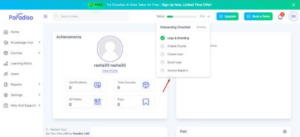
- We’ve updated the design and placement of the Onboarding Checklist within the LMS header based on the new layout design.
- Additionally, a new fifth option titled “Access Report” has been added to the checklist.
- When users click on the “Access Report” option:
- They are redirected to the Reports section
- The onboarding completion percentage is automatically updated to 100%
- These enhancements improve onboarding visibility and simplify access to important reporting features.
10. Invite Popup & Course Actions Enhancements:
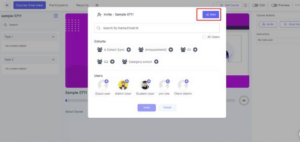
- We’ve enhanced the Invite popup and related course action workflows to improve usability and interface consistency.
- The following changes have been implemented:
- Moved the Share button inside the Invite popup
- Added an Invite icon within the popup
- Hidden highlighted sections when no data is available
- Reduced popup size dynamically when limited data is displayed
- These updates provide a cleaner and more responsive popup experience.
11. Development Tab Hidden & User Upload Limitation Added:
- We’ve updated platform access controls and user management limitations for improved system governance.
- Development Tab Hidden:
- The Development tab has been hidden from the interface, and the associated test course has been disabled.
- Users can no longer access the test course, even when attempting to open it directly through the UR.
- User Upload Limitation:
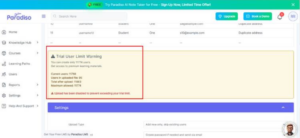
- A new limitation has been added to restrict bulk user uploads beyond 56 users.
- This ensures that Client Admins cannot create or upload more than 56 users at a time.
- These updates help improve platform security, access management, and operational control.