
1. Maya UI/UX Enhancement:
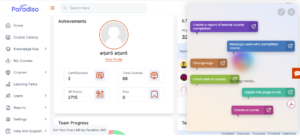
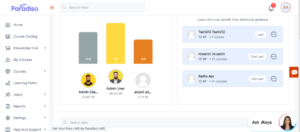
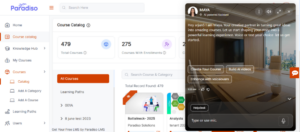
- We’ve enhanced the UI/UX of the Maya chatbot to provide a smoother and more engaging user experience, while keeping the core functionality unchanged.
- Font styling has been improved on hover, and the chatbot loader has been refined for better visual feedback.
- Slider transitions have been optimized to ensure smoother interactions.
- Additionally, background styling and font behavior within the chatbot have been updated, and top section icons have been refreshed for a more modern and consistent look.
- These improvements enhance usability and create a more polished chatbot experience.
2. MCP: Leaderboard, SCORM Package Activity and ILT Activity Related Questions:
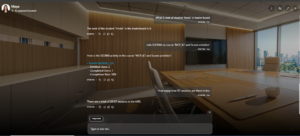
- The MCP has been successfully integrated into the AI chatbot to deliver more accurate and context-aware responses.
- Admins can now query information related to SCORM packages, ILT activities, and leaderboard data, with the chatbot providing relevant and up-to-date responses across the LMS.
- Learners can also ask about their individual progress, including completed ILT sessions, SCORM activity status, and their Level Up leaderboard ranking.
- The chatbot ensures responses are role-based and secure. Requests for admin-level data beyond user permissions are restricted, maintaining data privacy and access control.
3. Reporting Manager Role:
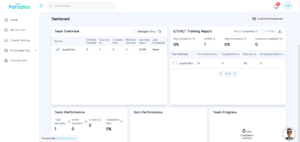
- A new Reporting Manager role has been introduced to improve team-level visibility and reporting.
- This role provides access to manager-specific dashboard blocks while maintaining a navigation experience similar to learners.
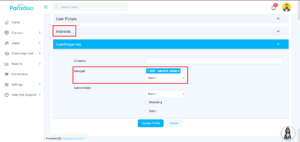
- Reporting Managers can be assigned via the User Profile (Manager field) or through Master Settings.
- They are also visible within the Team Overview block for easier management. Existing Reporting Managers are automatically reflected in both Team Overview and Master Settings.
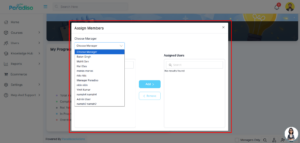
- This addition enhances reporting capabilities without impacting existing role structures.
4. Quiz Performance Report (System & Reporting Manager):
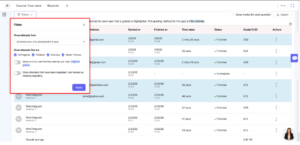
- We’ve enhanced the Quiz Performance block by introducing detailed reporting capabilities for both System Managers and Reporting Managers.
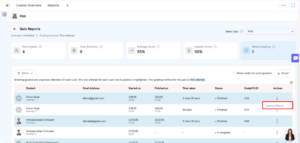
- System Managers can view quiz report data for all users and access advanced actions such as filters, export, edit, delete, regrade attempts, and quiz selection.
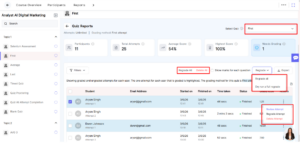
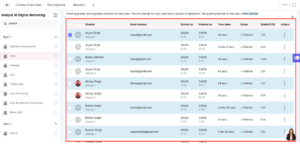
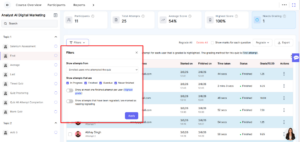
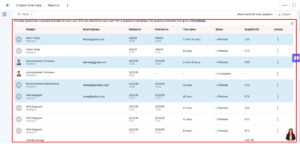
- Reporting Managers can view quiz report data limited to their assigned users, with filters and export options available for analysis.
- Administrative actions such as edit, delete, and regrade are restricted for Reporting Managers, ensuring proper access control.
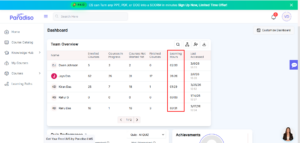
5. Team Overview Block – Learning Hours Column Added:
- The Team Overview block has been enhanced with the addition of a Learning Hours column.
- This column displays the total learning hours for each user, enabling better tracking of team progress.
- It is positioned at the second last position in the table for optimal visibility without disrupting the layout.
- This update helps managers gain deeper insights into team learning activity.
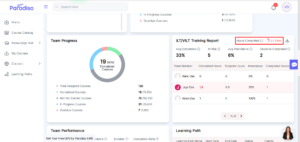
6. ILT/VILT Training Block – Highlighted Data Repositioned:
- We’ve improved the visibility of key information in the ILT/VILT Training block.
- The highlighted data, such as Hours Completed, has been repositioned closer to the Download button for easier access.
- This adjustment ensures important metrics are more noticeable and improves overall usability.
7. Skill Advisor – “Create Competency” Button:
- Enhancements have been made to the Skill Advisor module to streamline access to the Competency Framework.
- A new Skill Advisor submenu has been added under the Course menu, along with a configurable “Create Competency” button.
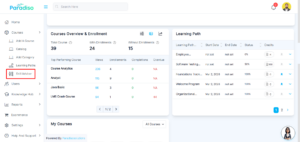
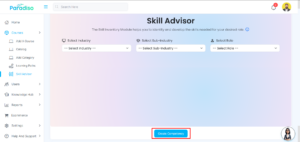
- Button is configurable/editable as per requirement from Master Settings: Manage Pages.
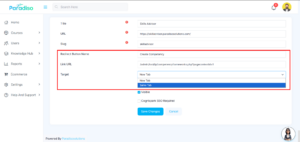
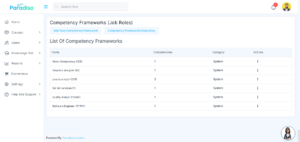
- This button can be managed via Master Settings and redirects users directly to the Competency Framework (Job Roles). Competency Framework (Job Roles).
- This enhancement streamlines navigation and improves user experience by providing quick access to competency creation.
- These updates simplify navigation and improve accessibility for competency management.
8. Report UI Enhancement:
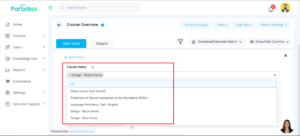
- The Reports module has been updated to improve usability and interaction.
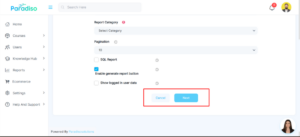
- The forward button (Next) has been repositioned to the right side for better accessibility.
- Checkbox selection and search functionality have been added to improve data filtering, along with tooltip enhancements for better guidance.
- This change improves navigation clarity and makes report interaction more intuitive.

9. Roleplay in Competency:
- Roleplay functionality has been introduced within the competency-based skill gap assessment.
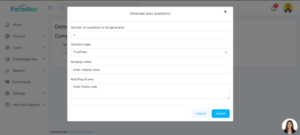
- Admins can configure roleplay scenarios via the Question Bank using an iframe, along with quiz settings such as question type and structure.
- The assessment begins with a roleplay scenario, followed by quiz questions.
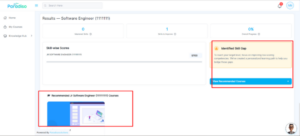
- After completion, users are shown recommended courses if a skill gap is identified. If no gap is found, no recommendations are displayed.
- This feature enhances interactive learning and improves personalized course recommendations.
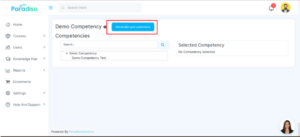
- Quiz Setup: Admin can configures quiz through popup (questions, type, roleplay name, iframe).
- Quiz Structure: First slide is Roleplay, followed by quiz questions.
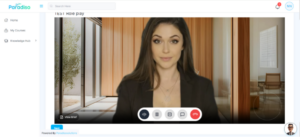
- User Flow: Quiz launches from “Assess My Skills” in Skill Gap.
- Post Quiz: Recommended courses are shown if a skill gap is identified; otherwise, none are displayed.
Summary:
- UI/UX improvements implemented to enhance user experience.
- Reporting Manager role introduced with controlled access.
- Reporting and dashboard functionalities have been enhanced.
- MCP integrated to provide smarter and more accurate chatbot responses.
- Improvements made to learning tracking and overall platform usability.